How to Catch Customer Problems Before They Become Support Tickets
Most customer feedback doesn't show up in a support ticket. It shows up in a Trustpilot review, a Reddit thread, or a blog post comparing five tools and mentioning yours in passing. By the time it reaches a support inbox, it's usually because someone was frustrated enough to go looking for a way to complain directly.
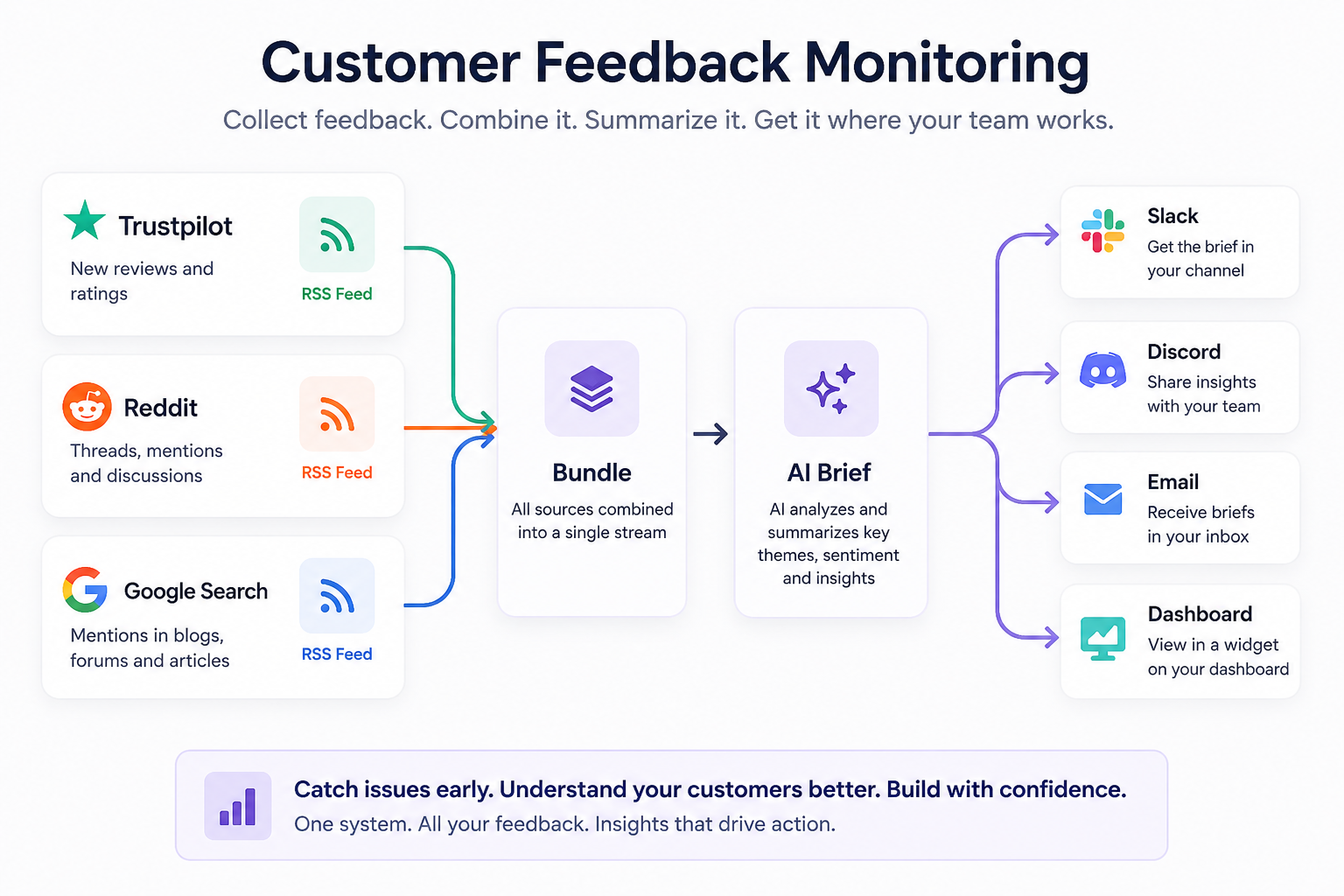
Why monitor feedback at all
Support tickets only capture the feedback from people who decided it was worth contacting you directly. Everyone else (and that tends to be the majority) leaves their opinion somewhere public instead: a star rating, a Reddit comment, a line in a blog post. That feedback is just as real, but it's easy to miss because it's not arriving in an inbox waiting to be answered.
Monitoring fills in the blind spots. Instead of waiting for complaints to reach a high enough volume to notice, you're reading the same conversations customers are already having, as they happen. You don't need an expensive social listening platform to catch problems early. Most teams can get surprisingly far just by pulling public feedback into one place and reviewing it consistently.
What sources actually matter
Not all feedback channels carry the same kind of signal. A practical monitoring setup usually covers three types:
- Review sites (Trustpilot, G2): structured, intentional feedback from people who took the time to rate you. Good for tracking sentiment trends over time.
- Community platforms (Reddit, niche forums): unfiltered complaints, questions, and comparisons happening in places you don't control. This is often where problems surface first, before they show up anywhere official.
- Open web mentions (Google Search, blogs, comparison articles): everything else. A blog post that mentions you in passing, a "best tools for X" roundup. This is where reputation gets shaped in places you'd never think to check manually.
Each source answers a different question. Review sites tell you how people feel. Communities tell you what's actually going wrong. The open web tells you what story is forming about your product when you're not in the room.
What to actually look for
Volume isn't the goal. A spike in mentions doesn't mean much on its own. What's worth paying attention to:
- Repetition. The same complaint showing up across multiple sources is a signal, even if each individual mention seems minor.
- Specific friction points. "Confusing onboarding" is more actionable than "bad experience." Look for language that points to a concrete moment in the product.
- Comparisons. When customers mention you alongside a competitor, the reason for the comparison usually matters more than which way it went.
- Tone shifts. A sudden change in sentiment after a release or pricing change is often the clearest signal you'll get that something needs a second look.
Imagine a few Reddit threads complaining about onboarding, several Trustpilot reviews mentioning setup difficulties, and a comparison article describing your product as "powerful but confusing." Individually, none of these signals seem urgent. Together, they point to the same underlying problem.
How often to review it
Daily monitoring makes sense for high-volume products or anything post-launch, where problems compound quickly if missed. For most teams, a few times a week is enough to catch patterns without turning it into a constant distraction. The right cadence depends less on how much feedback comes in and more on how quickly you'd need to act if something went wrong.
The mistake to avoid is checking sporadically and only after something's already escalated. A consistent schedule, even a light one, beats an inconsistent one.
Who should own it
In most companies, this lands somewhere between support, product, and marketing, which is exactly why it tends to fall through the cracks. Support sees the tickets, product owns the roadmap, marketing watches the brand conversation, and none of them have full visibility into what the others see.
The most workable setup is usually one owner (often someone in customer success, support ops, or product marketing) responsible for surfacing patterns and routing them to whoever needs to act, rather than expecting every team to monitor every channel themselves.
Building it with RSS.app
None of this requires a dedicated social listening platform. Here's how to build the same system using RSS.app, covering all three source types above, with the reading automated.
If you'd rather see the workflow in action, this video walks through the entire setup:
Step 1: Turn each source into a feed
In RSS.app, open the RSS Generator and create three separate feeds:
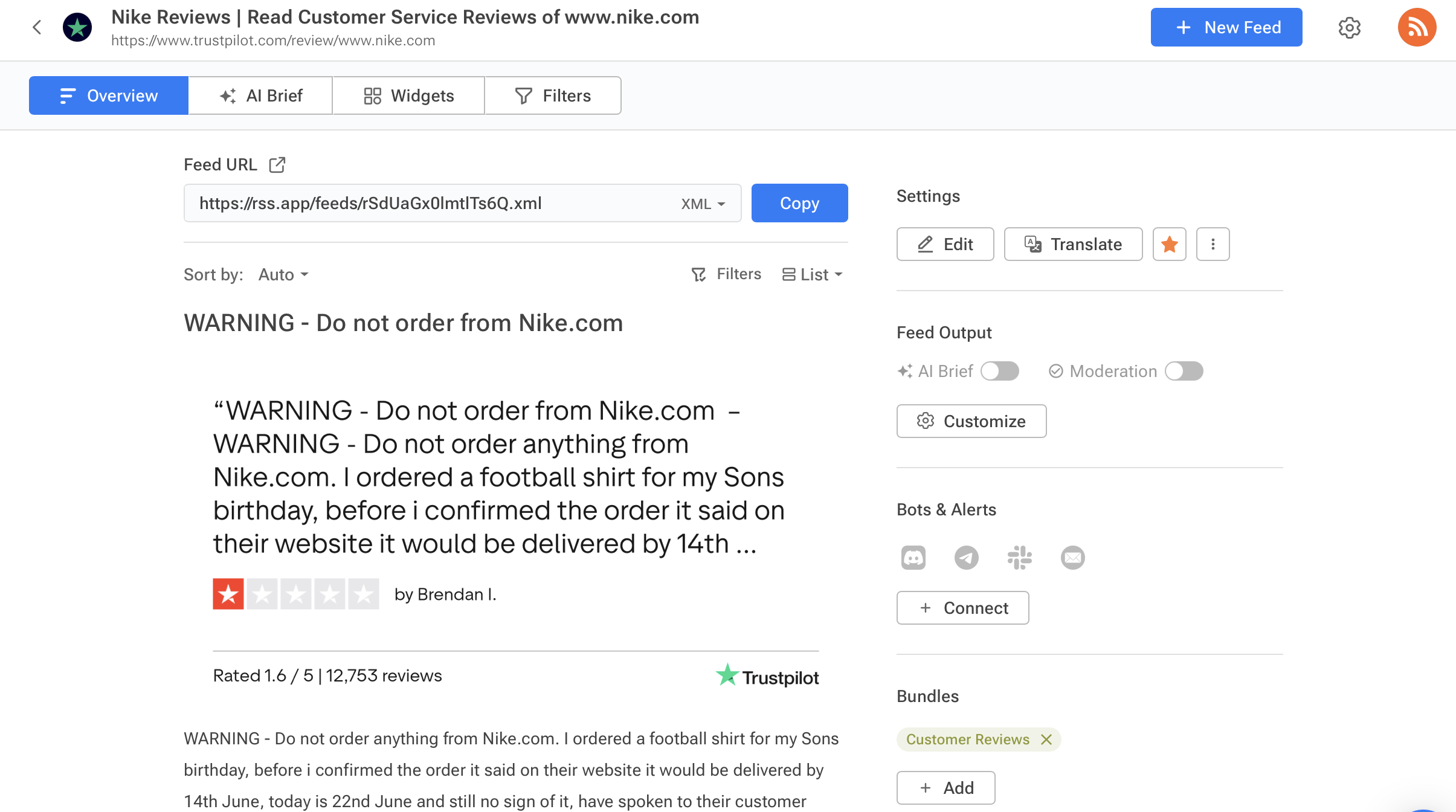
- Trustpilot feed — paste in your company's Trustpilot page. New reviews get pulled in automatically as they're posted, so there's no manual checking.
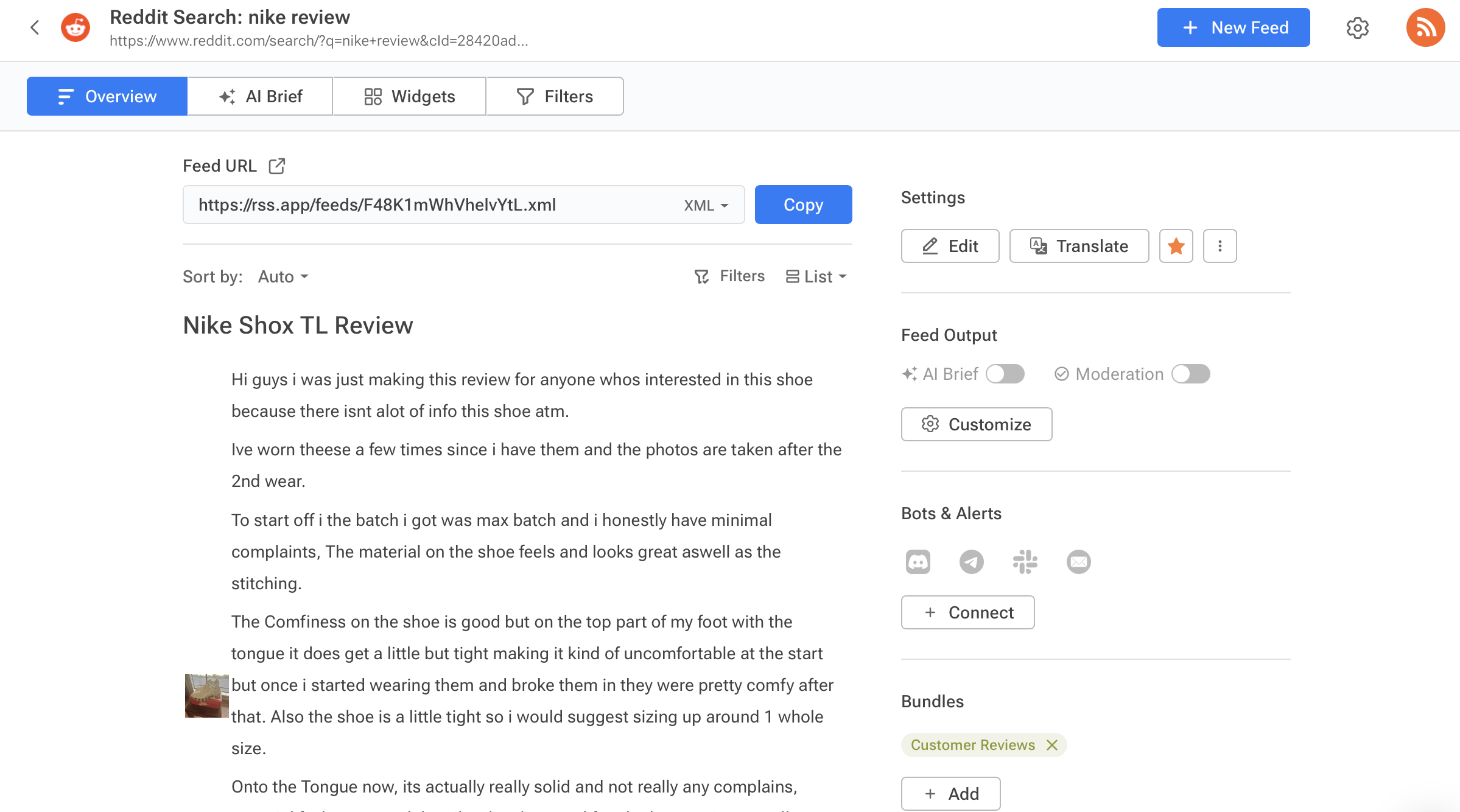
- Reddit feed — track a specific subreddit, a search term, or direct mentions of your brand. This is where you'll catch the conversations that never make it to a review site.
- Google Search feed — use your brand or product name as the query. This picks up coverage from blogs, forums, and comparison posts you wouldn't otherwise see.
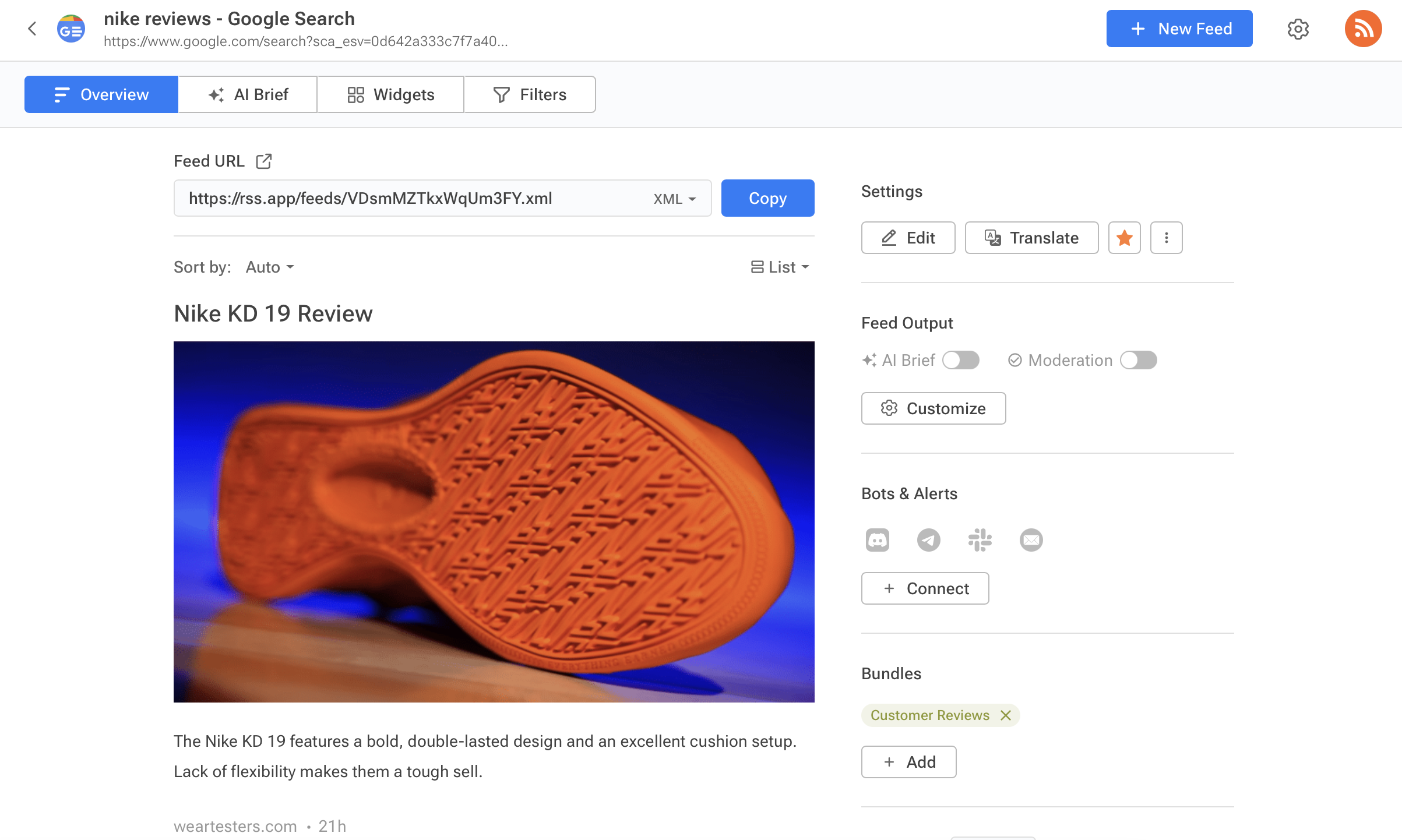
Each feed updates on its own once it's live according to your plan's refresh rate.
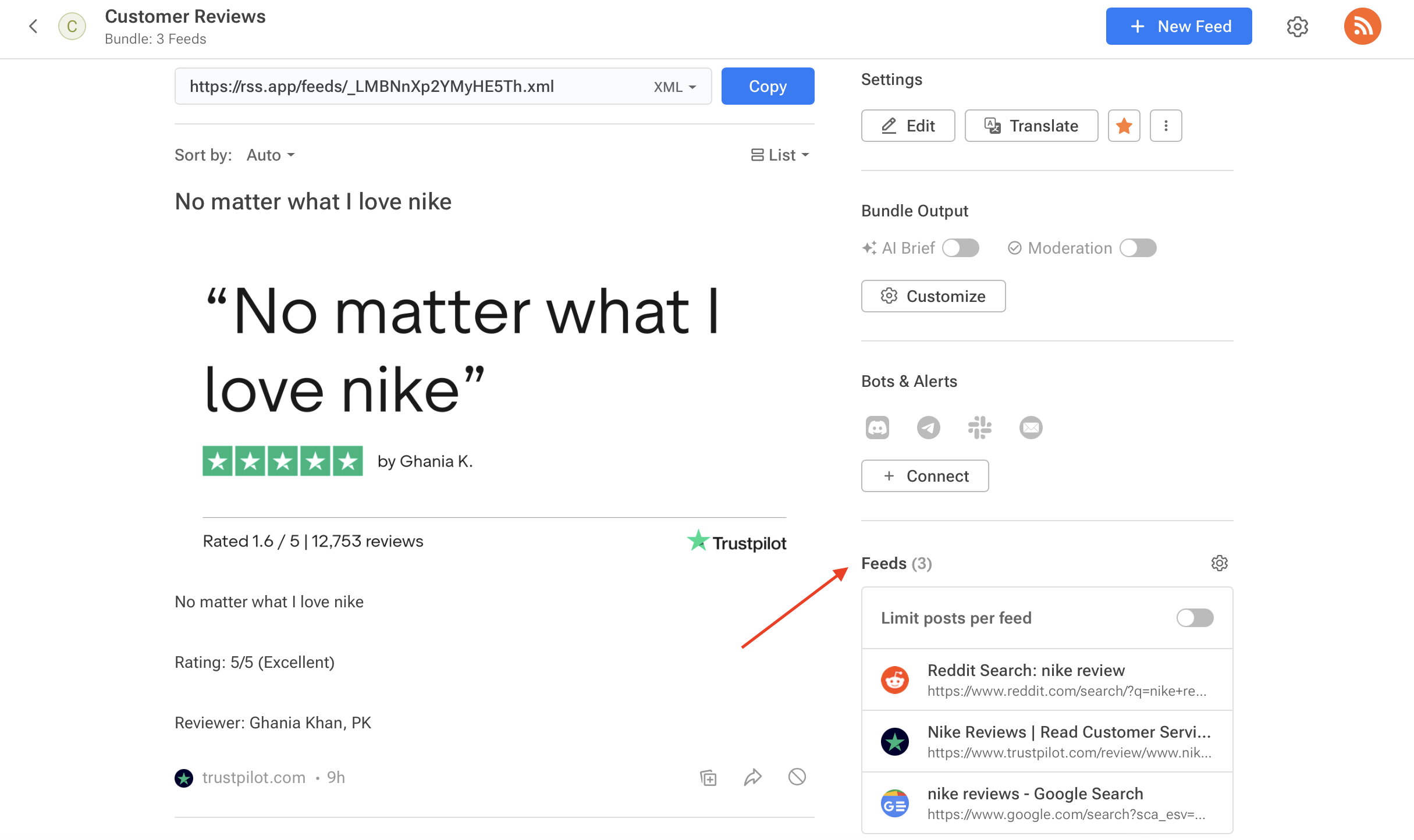
Step 2: Combine them into a single bundle
Three separate feeds means three separate things to check. Go to Bundles, select all three feeds, and combine them into one. Now every review and mention flows into a single stream, and the bundle updates automatically whenever any of the underlying feeds do.
This is the step that actually saves time. Instead of jumping between three sources, there's one place to look.
Step 3: Let AI Brief do the reading for you
A bundle full of raw reviews and mentions is better than three disconnected feeds, but it's still a lot to read through manually. AI Brief turns that bundle into a summary, and a few settings matter specifically for feedback analysis:
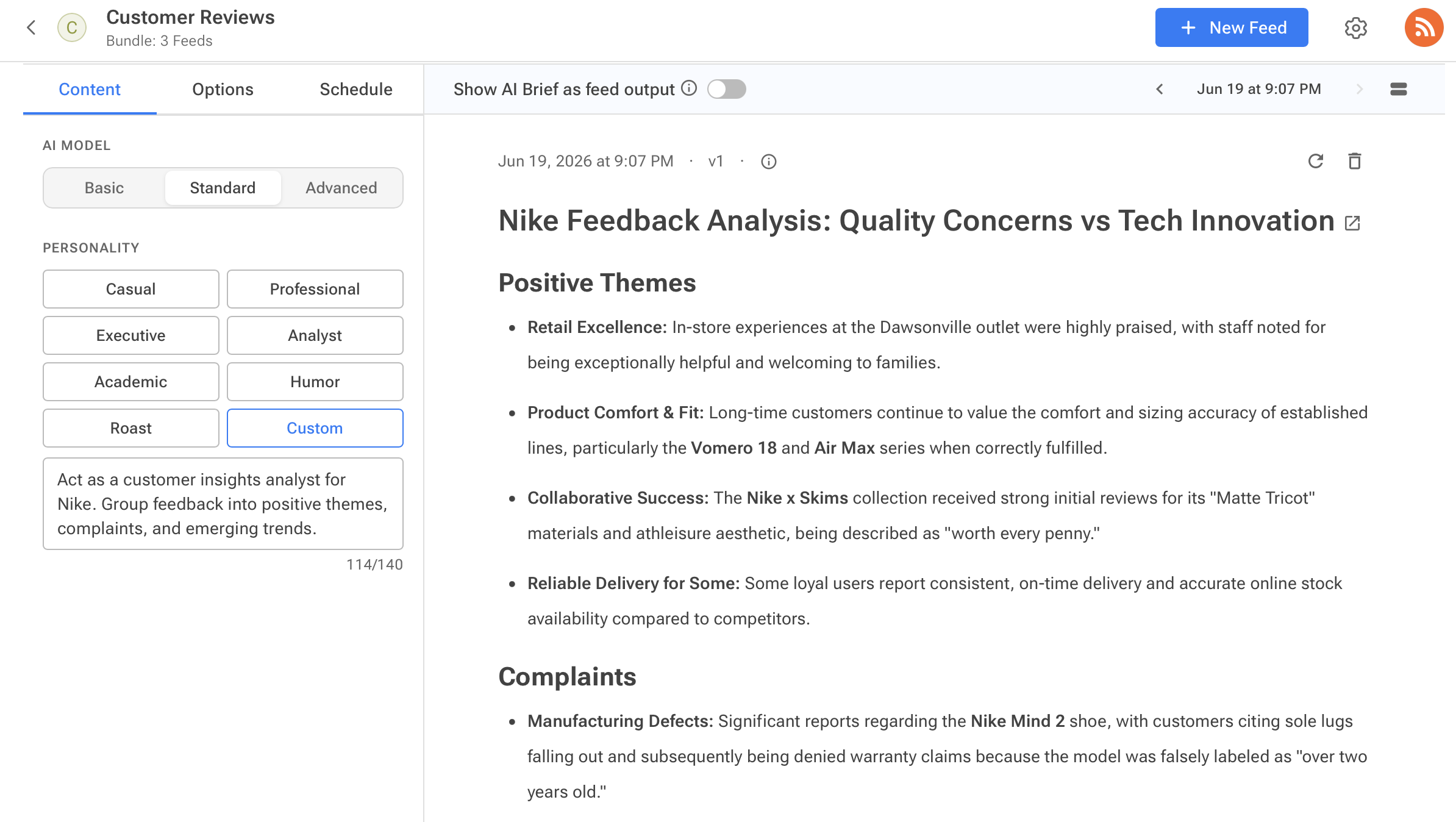
- Personality: Analyst. It produces structured, data-focused summaries, which suits reading through reviews better than a more conversational tone.
- Custom is also available if there's a specific structure you want the AI to follow.
- Format: Brief or Digest. Both give summaries in a digestible, bullet-point roundup.
- Filter by topics, if the bundle gets noisy. The brief will only pull in mentions that match.
- Max articles, bumped up. Pulling from three sources at once means more volume than a single-source brief, so the default may not cover everything.
Step 4: Set it to run on its own
Go to Schedule and turn on auto-generate. Pick a frequency and set a minimum number of new articles required, so a quiet day doesn't produce an almost-empty brief.
From here, the system runs without anyone checking in on it. New reviews and mentions come in, get bundled, get summarized, and show up on schedule.
Step 5: Get the brief where the team already works
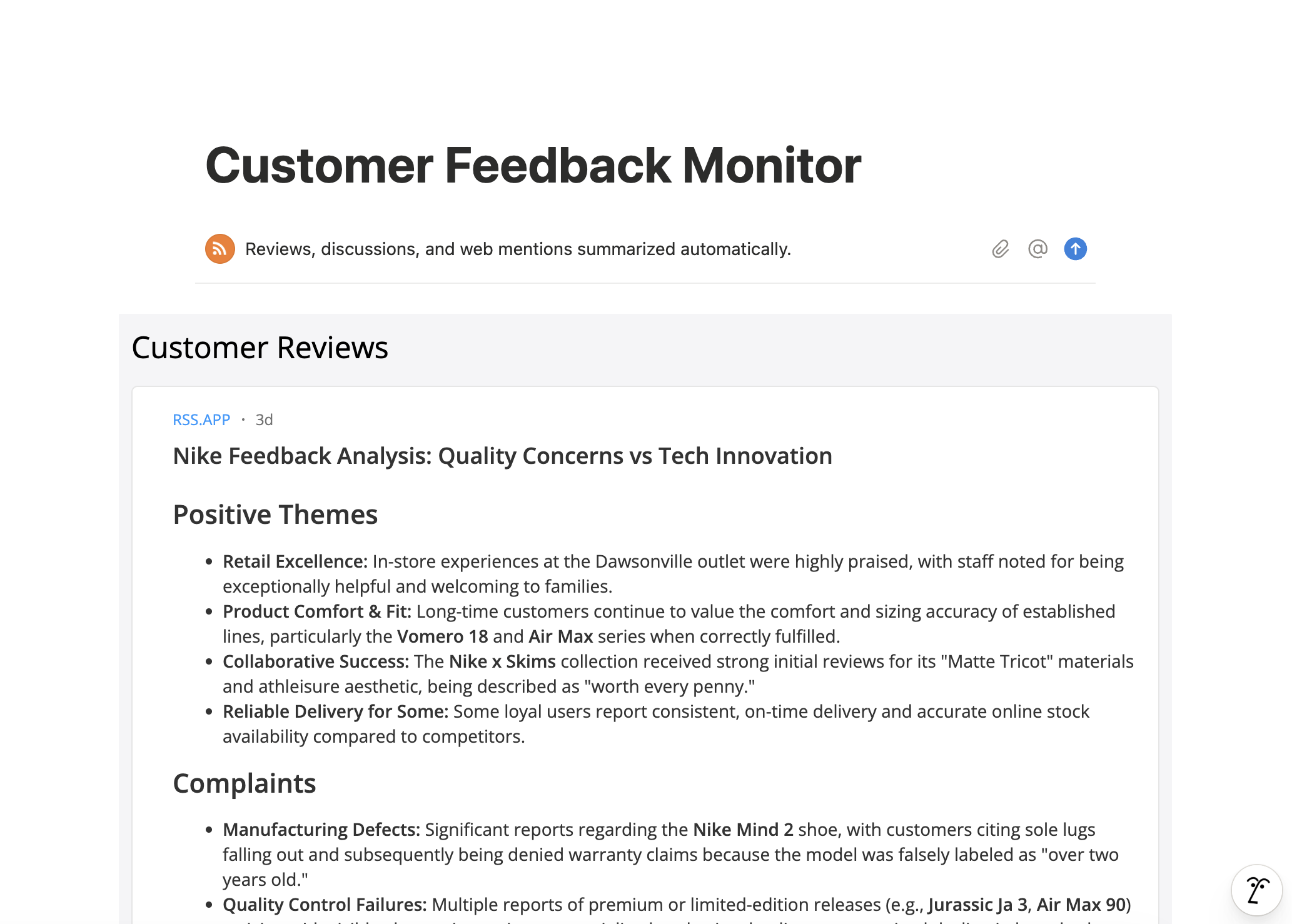
By default, AI Brief replaces the raw feed output, but the original reviews are still available in the Sources tab if anyone wants to read the unsummarized version.
The brief itself can go anywhere RSS.app delivers to (Discord, Telegram, Slack, or your personal email) so it lands in a channel people already check, or it can run as a widget on an internal dashboard like Notion.
The point isn't the tool. It's catching things earlier.
This isn't a complicated system, and it doesn't need to be: three feeds, one bundle, and a summary that shows up on a schedule. The difference it makes isn't really about the setup, it's about not finding out something's wrong from a customer who's already frustrated enough to say so loudly.
Set it up once, and the patterns start showing up on their own.
Want to try RSS feeds?
Create your first feed in minutes. Free to start, no credit card required.
Share this article


Ready to get started?
Create your first RSS feed in minutes. No coding required.