The 5 Ways to Show Sources in Your AI Brief, And When to Use Each
AI-generated summaries are only as trustworthy as the sources behind them. But how you surface those sources? That's where most people just pick whatever default was set and move on.
If you're wondering why source attribution matters in the first place, we covered that in our article on why AI Briefs now link to original sources. Here, we'll focus on choosing the right format for different audiences and workflows.
RSS.app gives you five ways to surface sources in an AI Brief. Each creates a different reading experience, and some formats work better than others depending on how the brief will be used.
Here's what each link format in RSS.app's AI Brief actually does, and when to reach for each one.
Quick context: what's an AI Brief?
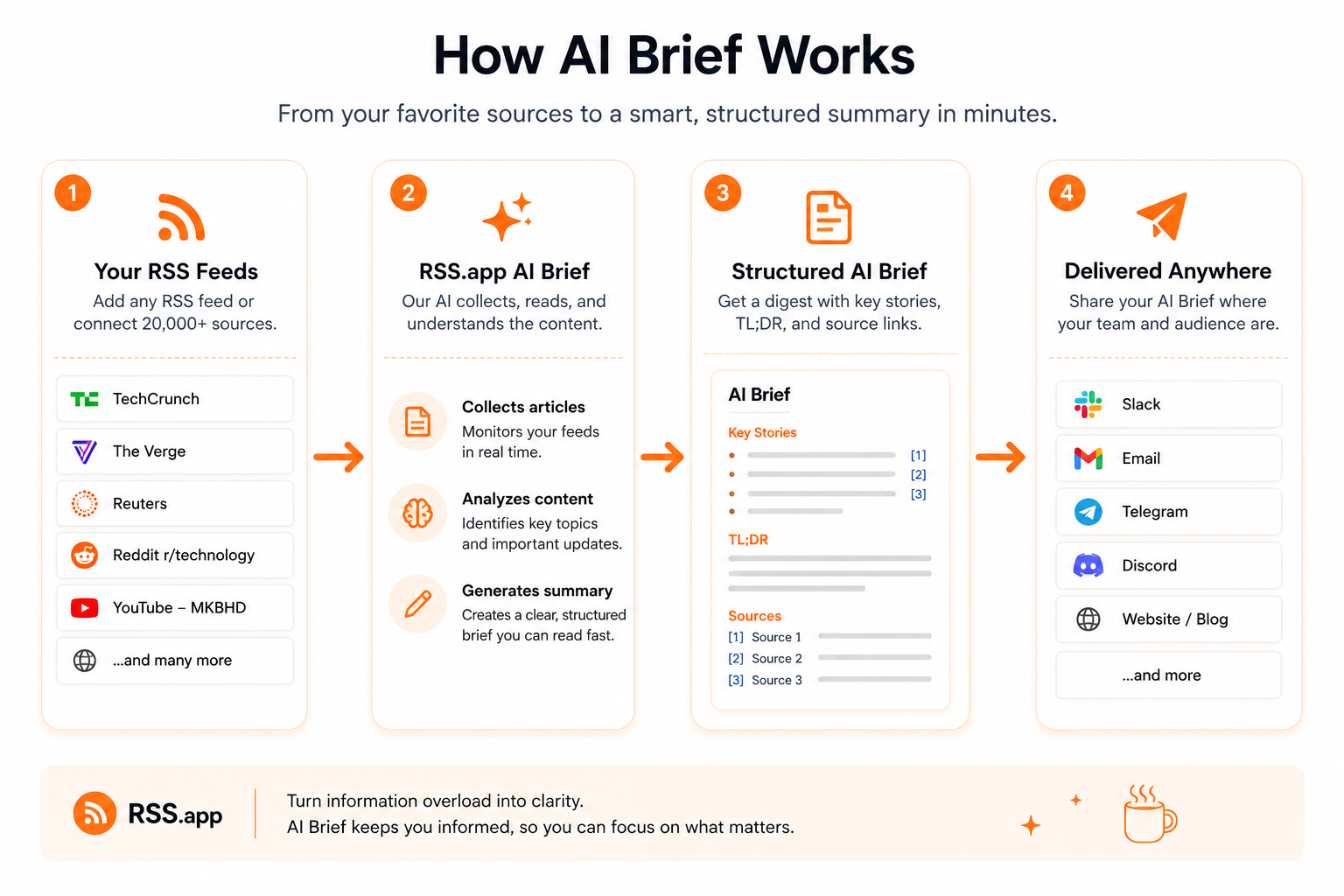
RSS.app's AI Brief feature takes a collection of RSS feeds and turns them into a structured, AI-generated summary. Think of it as a smart digest of everything happening across your tracked sources. Teams use it for competitive monitoring, industry news roundups, internal newsletters, and daily briefings.
The AI pulls from real articles to generate that summary. The link format setting controls how (or whether) it tells your readers which articles it pulled from.
That's the lever. Now here's how to use it.
Start with the audience, not the format
Not every AI-generated summary needs the same level of transparency.
A daily Slack digest has different requirements from a research report or a customer-facing newsletter.
Before choosing a format, ask:
- Do readers mainly want a quick overview?
- Will they need to verify claims?
- Does the reputation of the publication matter?
- Will they be making decisions based on the information?
- Is the brief internal or external?
Those answers determine how visible source attribution should be. With that in mind, here's what each format is designed for.
The quick decision framework
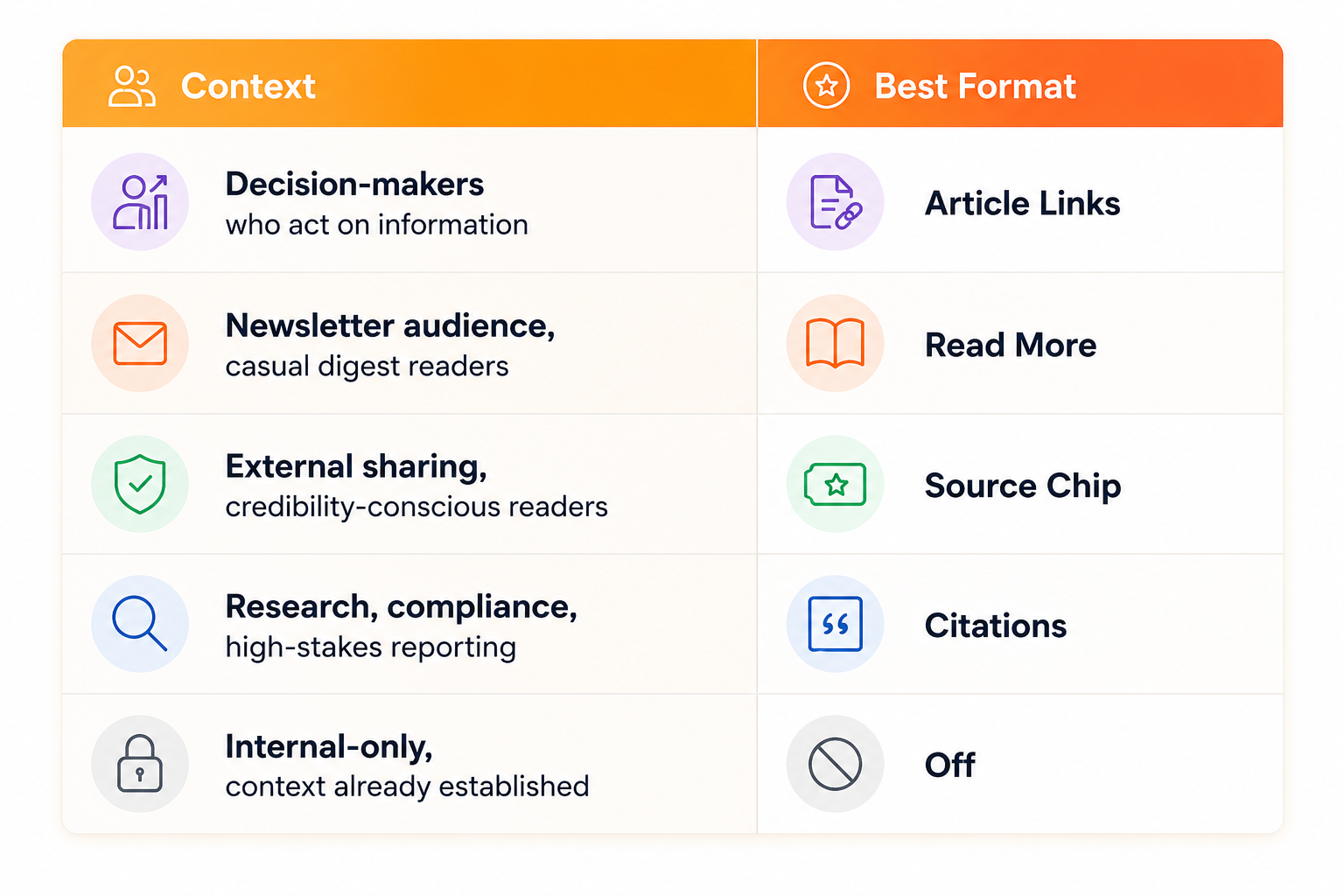
For decision-makers: Article Links
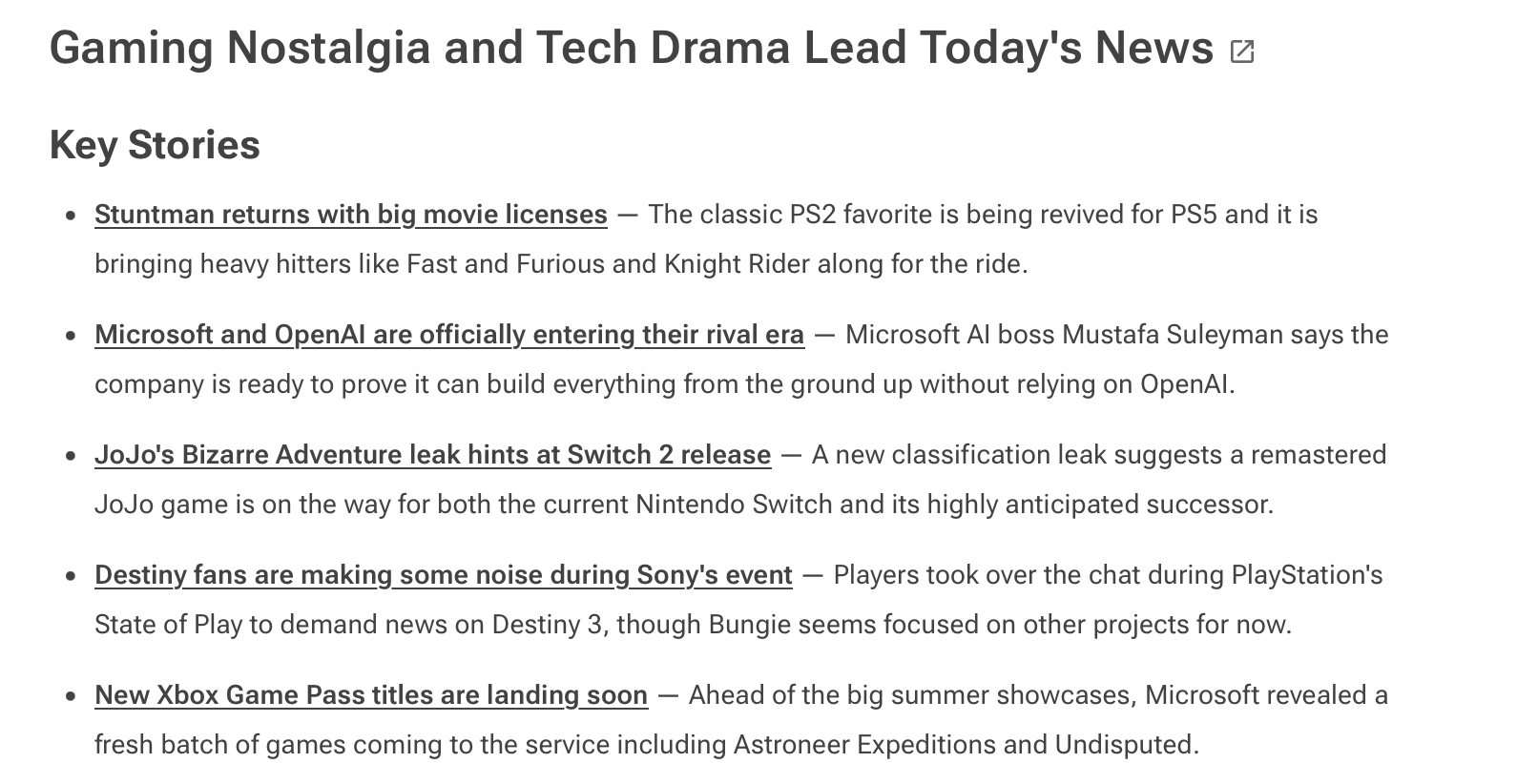
What it looks like: Each story's title appears as a clickable hyperlink, pointing directly to the original article.
Best for: Readers who want to act on what they read.
This is the most frictionless path from summary to source. The link is built right into the text and doesn't require any extra steps. If someone reads a sentence in the brief and wants more, the title is already a door they can walk through.
Use this when the brief is designed for people making decisions: investors tracking a sector, product teams watching competitors, researchers who might want to verify anything that seems significant. The information is the point, and the links make it actionable.
Skip it when: The audience just wants the digest. If readers are consuming the brief passively (like a quick morning scan) having linked titles creates visual noise without adding value.
For newsletter readers: Read More
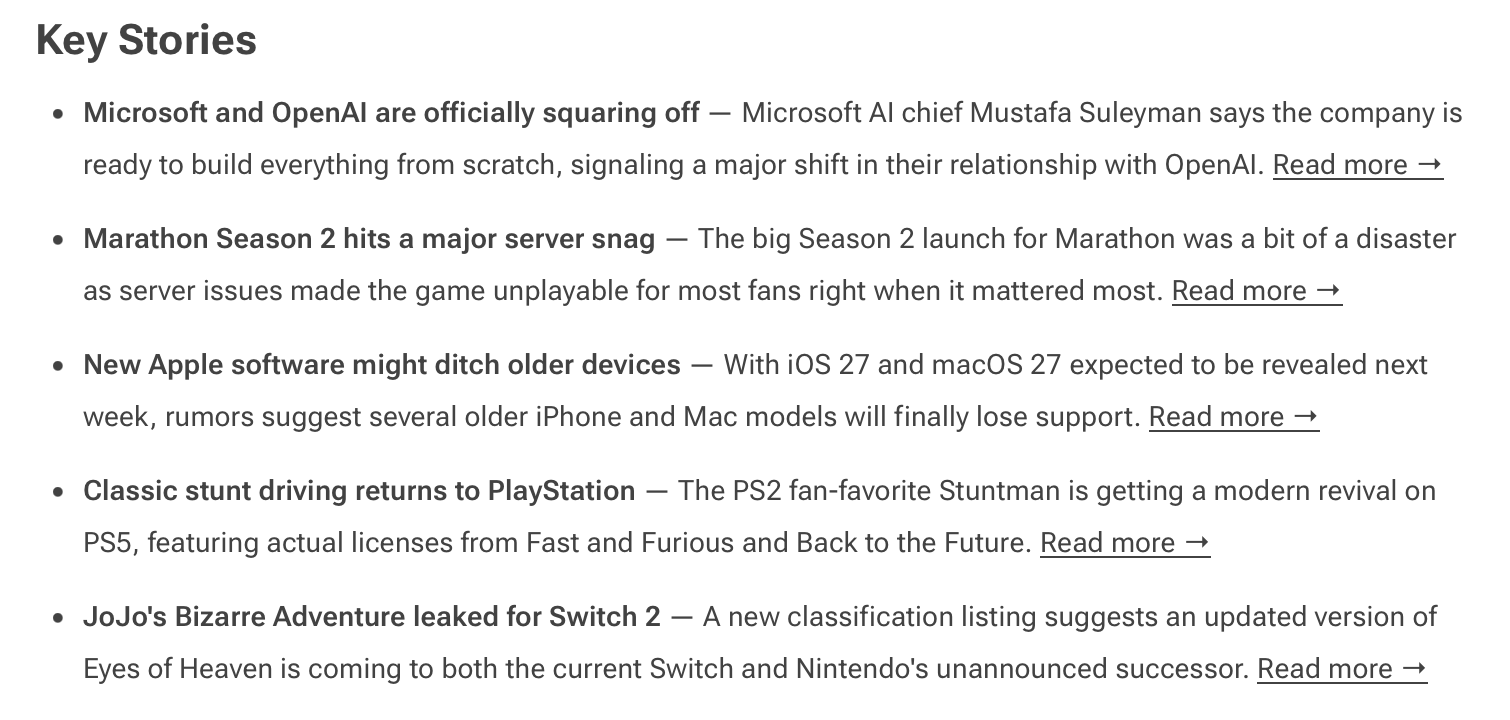
What it looks like: A "Read more" link appears at the end of each section, after the summary content.
Best for: Summary-first audiences who occasionally want to dig deeper.
The reading flow here is slightly different. By placing the link after the summary, the format signals: read this first, then decide if you want more. It puts the AI-generated content front and center, and keeps the option to go deeper available without demanding attention upfront.
This works well for newsletter-style briefs sent to teams or subscribers who are reading for the overview and will only click through on the stories that personally catch their interest. It's the format that maximizes skim-friendliness while still giving credit to original sources.
Skip it when: The reader needs to know exactly where information came from before they engage with it, like in research or compliance contexts where provenance matters upfront.
For external stakeholders: Source Chip
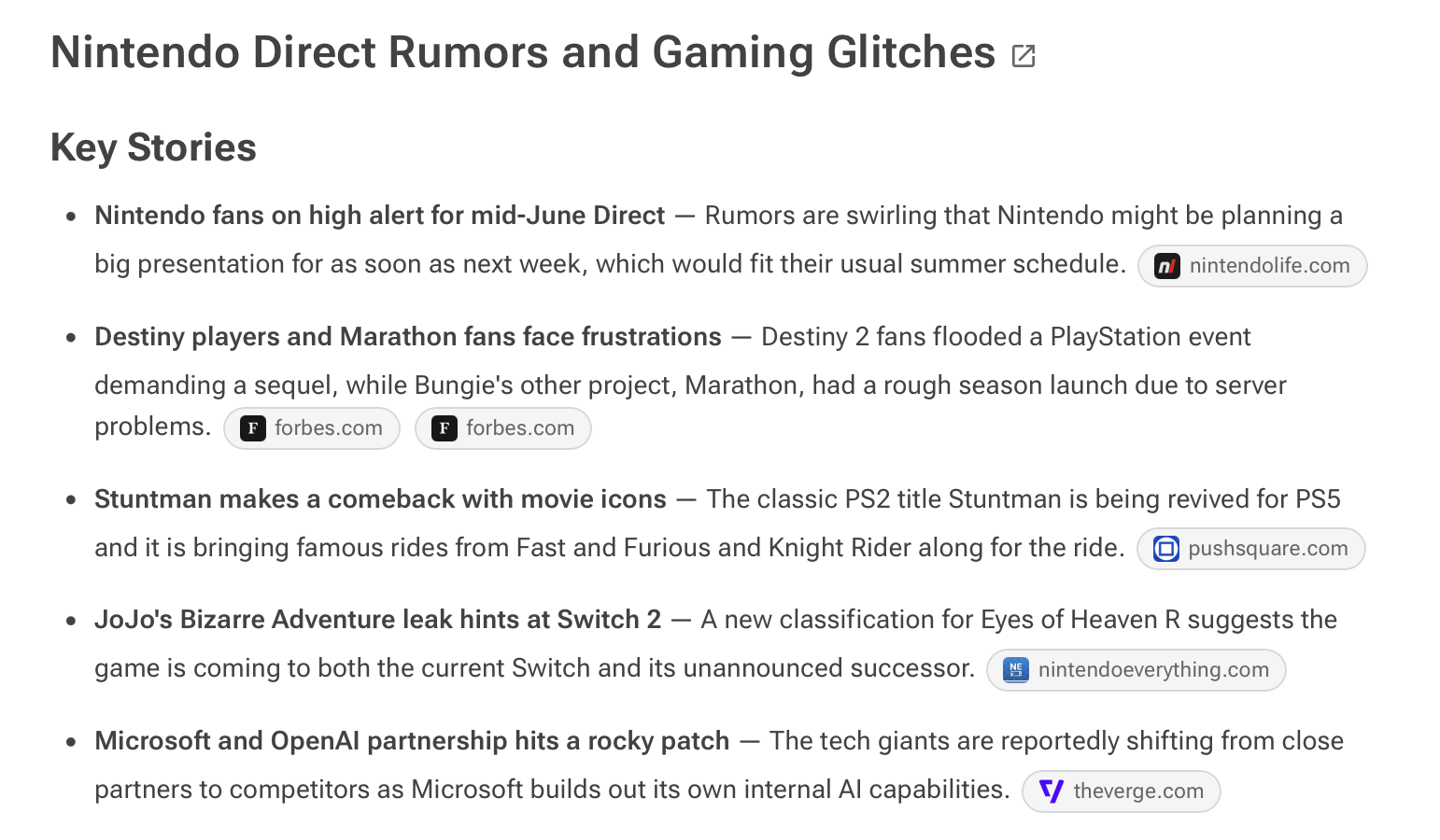
What it looks like: A small labeled chip below each section showing the source publication, with an optional favicon.
Best for: Audiences where source credibility drives trust.
There's a meaningful difference between "AI says X" and "Reuters says X." The source chip makes that distinction visible at a glance. Without requiring the reader to click anything or read a link, they can see immediately: was this from a major trade publication, a niche blog, or a wire service?
This format is particularly strong when sharing briefs externally or with stakeholders who'll want to know the caliber of sources before they act on a summary. It also works well in curated newsletters where part of the value proposition is the quality of what you're tracking.
The favicon option is worth enabling since it adds a small but real recognition signal. People know the FT's salmon-colored logo. They recognize the TechCrunch icon. Visual recognition builds trust faster than domain names alone.
Skip it when: The sources are less well-known and seeing unfamiliar names might undercut confidence rather than build it.
For maximum transparency: Citations
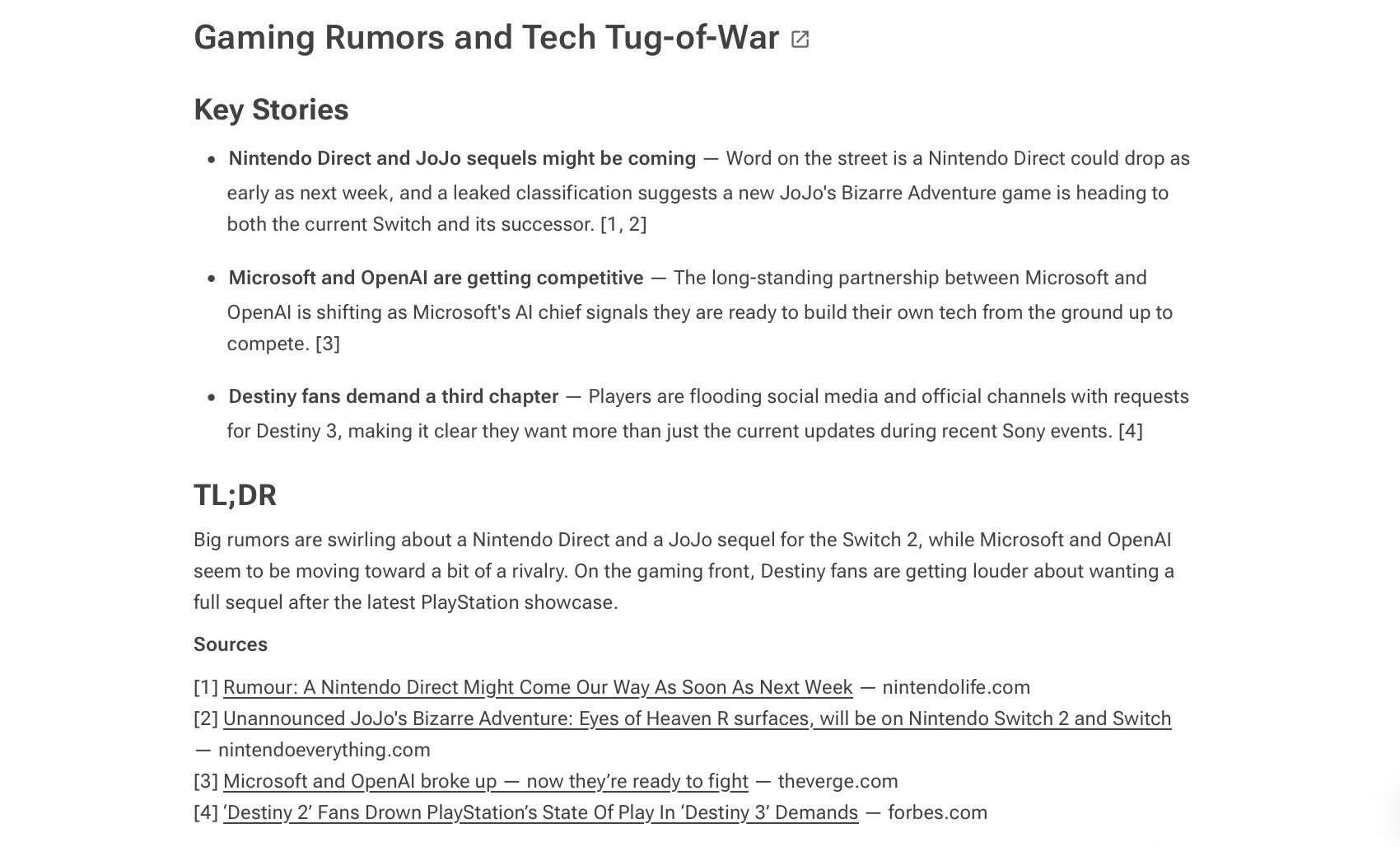
What it looks like: Numbered citation markers appear alongside the summary, with a Sources section listing the original articles used to generate the brief.
Best for: High-trust, high-stakes contexts where traceability matters.
This is the most rigorous option. Instead of embedding links throughout the summary, citations create a clear separation between the analysis and the underlying reporting. Readers can quickly scan the brief and, when needed, jump to the Sources section to see exactly which articles informed each topic.
For anyone using AI Briefs in research workflows, due diligence processes, or content that will be reviewed or referenced, citations are the right call. They make the brief defensible. They also implicitly signal that the summary wasn't manufactured; it's grounded in actual reporting.
The tradeoff is density. Citations make the brief look more document-like, which can slow down casual reading. That's fine if depth is the goal but it's a cost if speed is.
Skip it when: The brief is meant to be consumed quickly, or when the audience is less familiar with citation-style formatting and might find it visually overwhelming.
For internal-only workflows: Off
Self-explanatory. No links, no source references.
Useful when the brief is a purely internal digest and the team already knows what the source feeds are. Or when link noise genuinely detracts from readability in a specific layout or embedded context. Just remember that you're trading transparency for simplicity.
Skip it when: Readers may need to verify information or explore the original reporting.
How to change the format
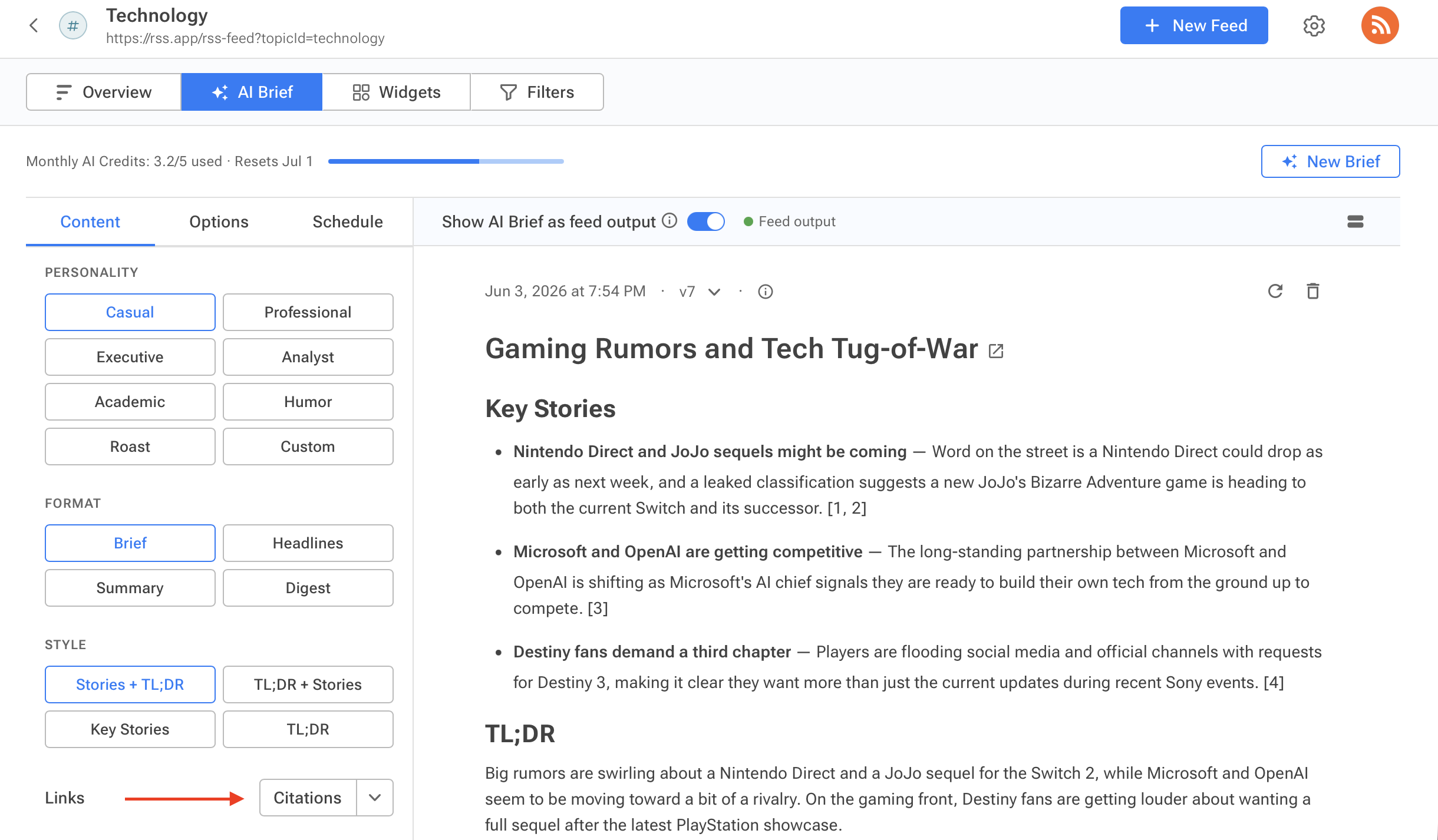
Inside RSS.app, open a feed and go to the AI Brief tab. Under Links, open the dropdown and select the format that fits your use case. Click Regenerate, and the brief updates immediately.
There isn't a universally "best" source format. The goal isn't simply to add links. It's to provide the right amount of context and traceability for the audience consuming the information.
Once you think about source attribution this way, choosing a format becomes much easier.
Want to learn more about AI Briefs? Check out the Guide to AI Brief and how to generate your first one.
Want to try RSS feeds?
Create your first feed in minutes. Free to start, no credit card required.
Share this article


Ready to get started?
Create your first RSS feed in minutes. No coding required.