Get Daily News Summaries About Any Topic in Telegram, Discord, Slack, and Email
A daily news brief is a single AI-generated summary of the latest updates on a topic, delivered automatically on a schedule to the place you already check (Telegram, Discord, Slack, or email) instead of requiring you to visit each source yourself. With RSS.app, it's built by combining one or more RSS feeds into a Bundle, summarizing them with AI Brief, and connecting that Brief to a destination.
That's the short version. The longer, more useful version is why this setup tends to outperform the more obvious approach most people reach for first: real-time alerts.
Why daily summaries work better than real-time alerts
Real-time alerts feel like the more thorough option. Every mention, every post, the moment it happens. In practice, that's usually the reason tracking a topic becomes unsustainable.
Alerts optimize for speed. Briefs optimize for judgment. A ping the second something is published tells you that something happened, not whether it matters relative to everything else published that day. You still have to do the comparison work yourself, except now you're doing it fifteen times a day, interrupted, instead of once, with full context.
Frequency erodes signal. A source that posts once is easy to evaluate. A source that posts twenty times a day trains you to stop opening the notification at all. A daily brief sidesteps this because the volume problem is solved before it reaches you: twenty updates become one summary, so there's never a backlog to fall behind on.
Context switching has a real cost. Every alert is an interruption, and interruptions during focused work are expensive to recover from. Batching the same information into one scheduled brief means the interruption happens once, at a time you chose, instead of at whatever moment the source happened to publish.
A digest is built to be compared against yesterday's. Because a brief covers a fixed window, it's structured the same way each time. That consistency is what makes a habit stick: you know roughly what you're getting and roughly how long it takes to read, which is exactly what a stream of individual alerts can't offer.
None of this means real-time alerts are never the right tool. Genuine emergencies (an outage, a security incident, a time-sensitive trade) are still better served by immediate pings. But for staying informed on a topic over time, a scheduled summary is closer to how people actually process information: in a batch, at a chosen moment, with context already attached.
The setup: one workflow, four destinations
The underlying process is identical no matter where the brief ends up.
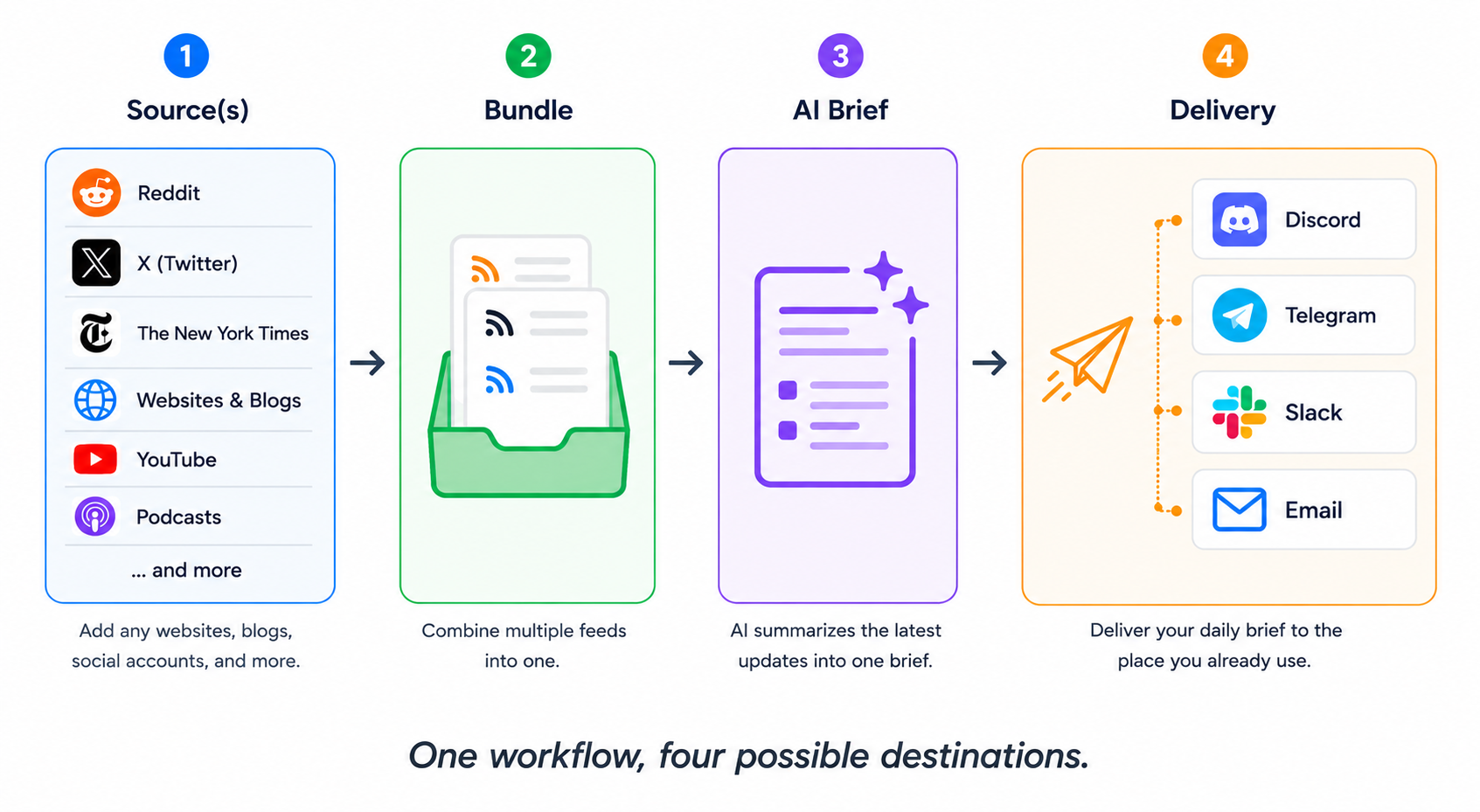
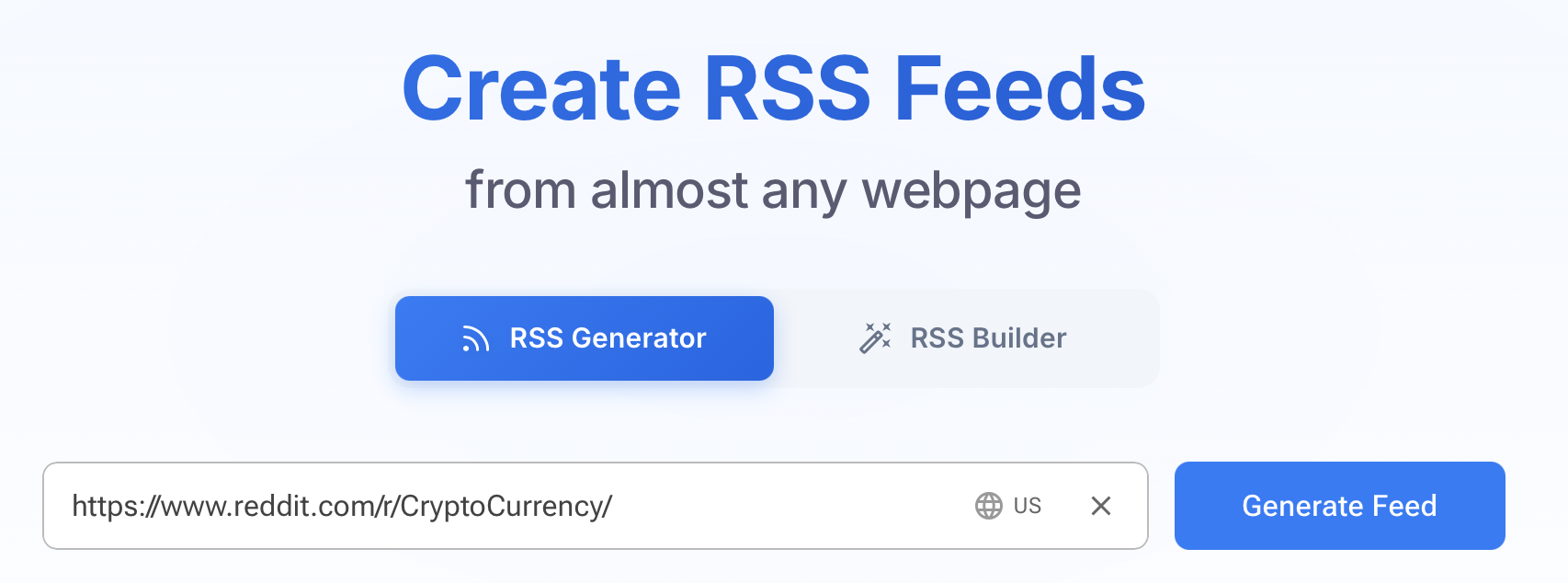
1. Create a feed from your source. Copy the URL of a site, blog, or social account you want to track, paste it into the RSS Generator, and generate the feed. It refreshes automatically according to your plan's refresh rate.
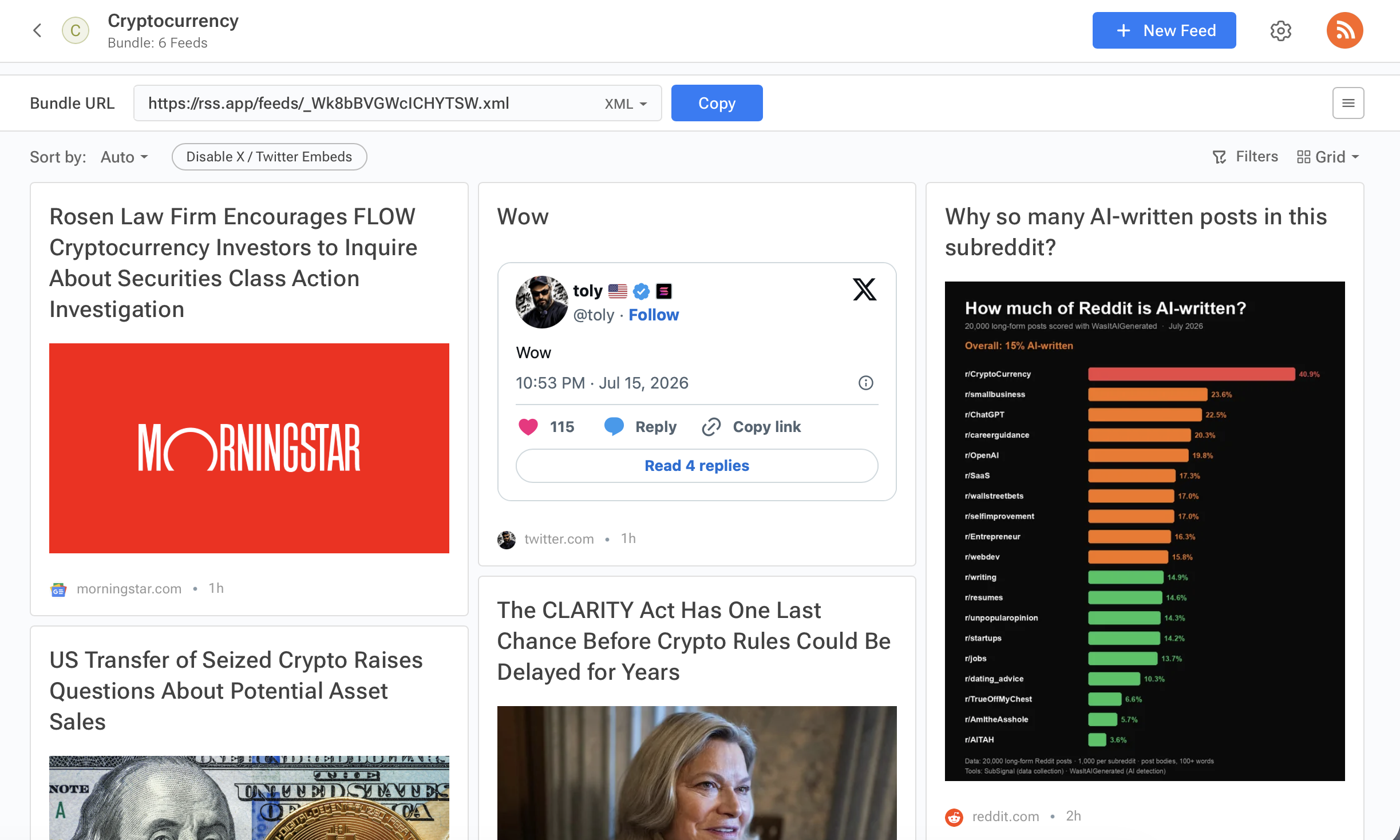
2. Bundle multiple sources into one (optional, but where the real value shows up). Go to Bundles, create a new one, and add every feed relevant to the topic. This is the step that turns "one blog's updates" into "everything worth knowing, from one place."
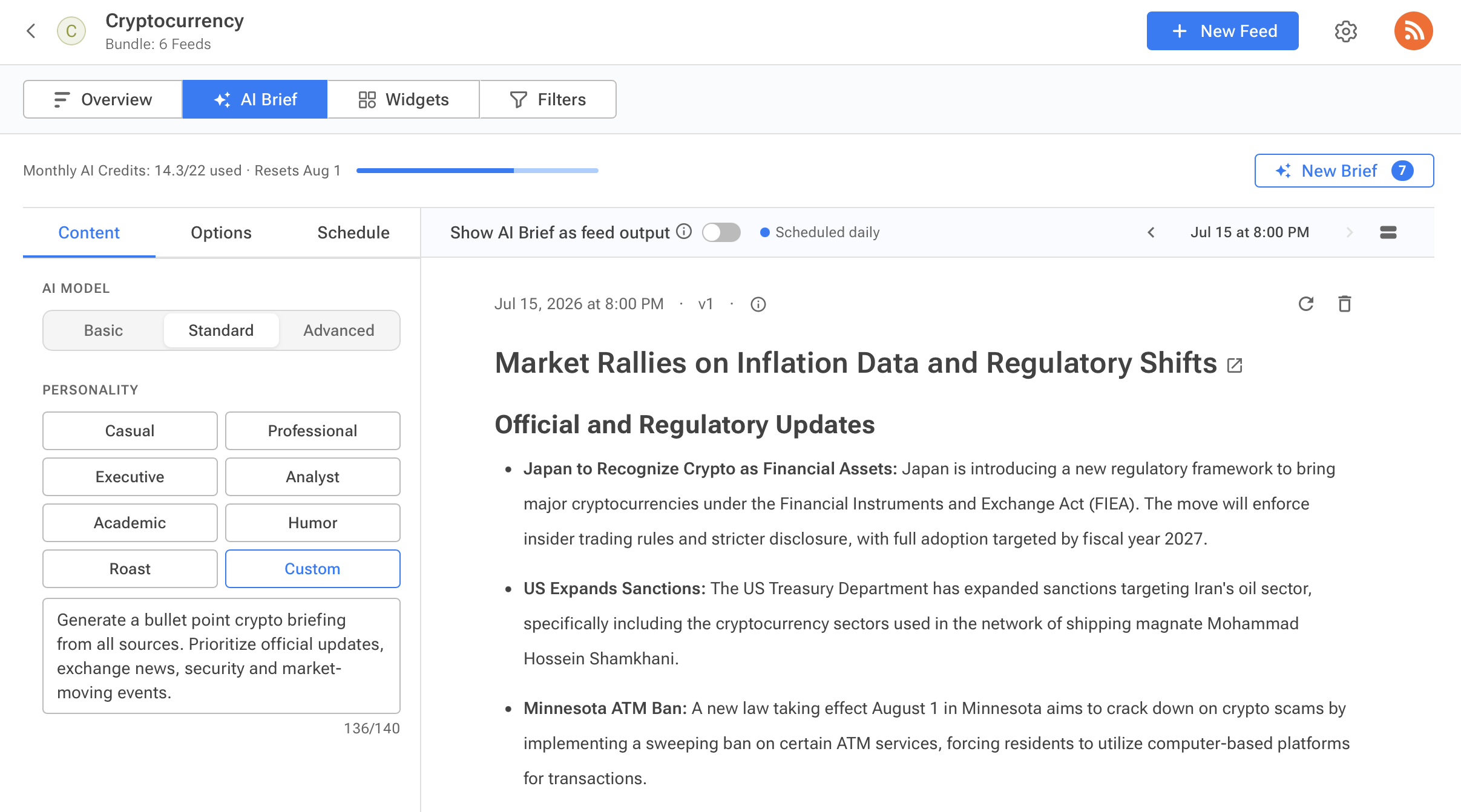
3. Turn on AI Brief. Open the feed or Bundle and toggle AI Brief on. This converts the pile of individual posts into a single readable summary instead of a stream of separate items.
4. Customize and schedule it. In the AI Brief tab, pick a personality (or write a custom prompt), choose a format, and set how many articles get pulled in. Then go to Schedule, toggle Auto-generate on, and set a time and timezone.
5. Connect it to a destination. This is the only step that changes by channel, covered platform by platform below.
Daily news briefs in Discord
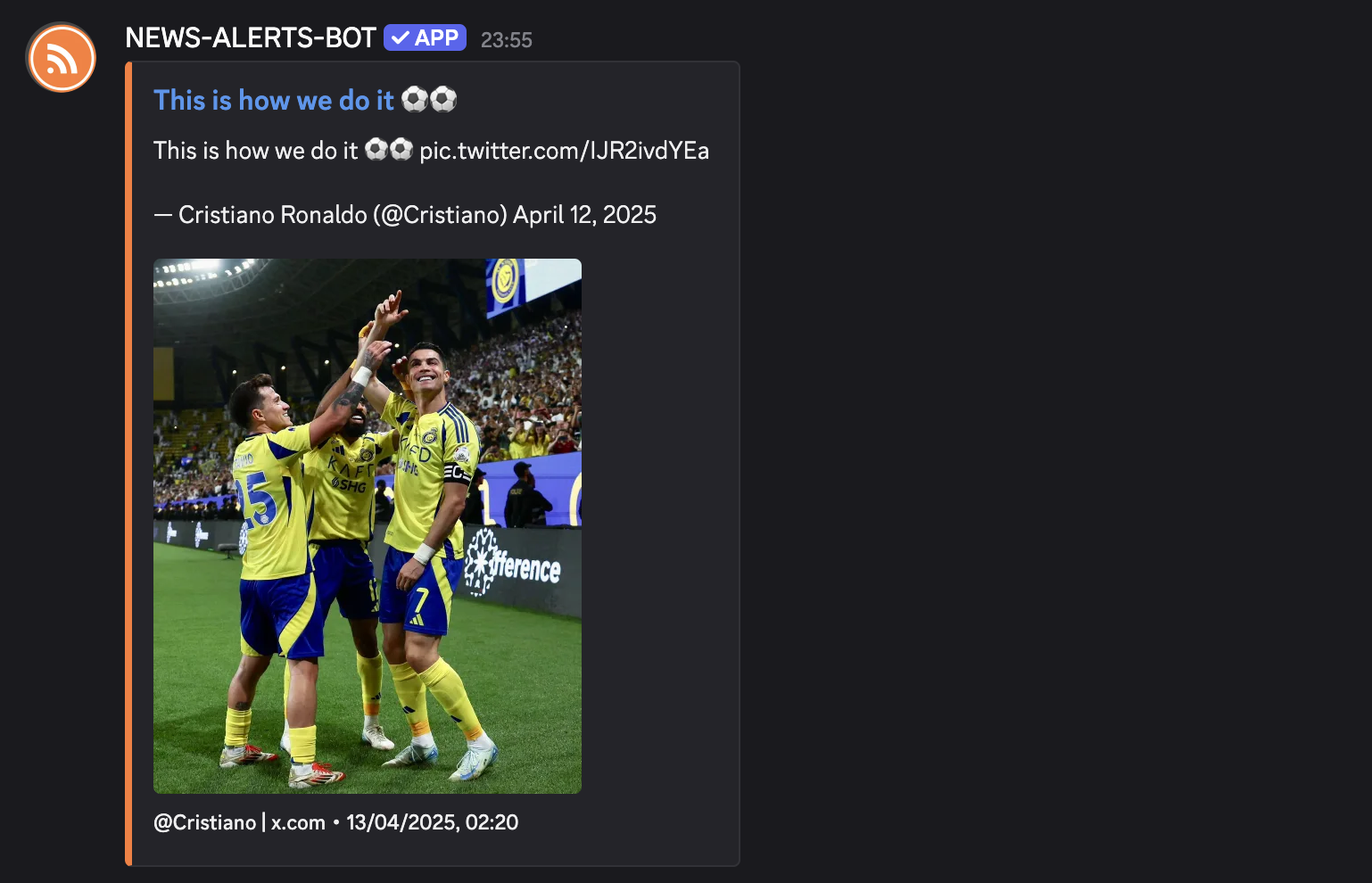
Discord is the right fit when the topic feeds a community: a game, a crypto project, a fandom, or a Discord server you run for customers. Click the Discord icon from Feed Overview, connect your server, and select the channel. RSS.app sends the three most recent AI Briefs through automatically so you can confirm the connection works.
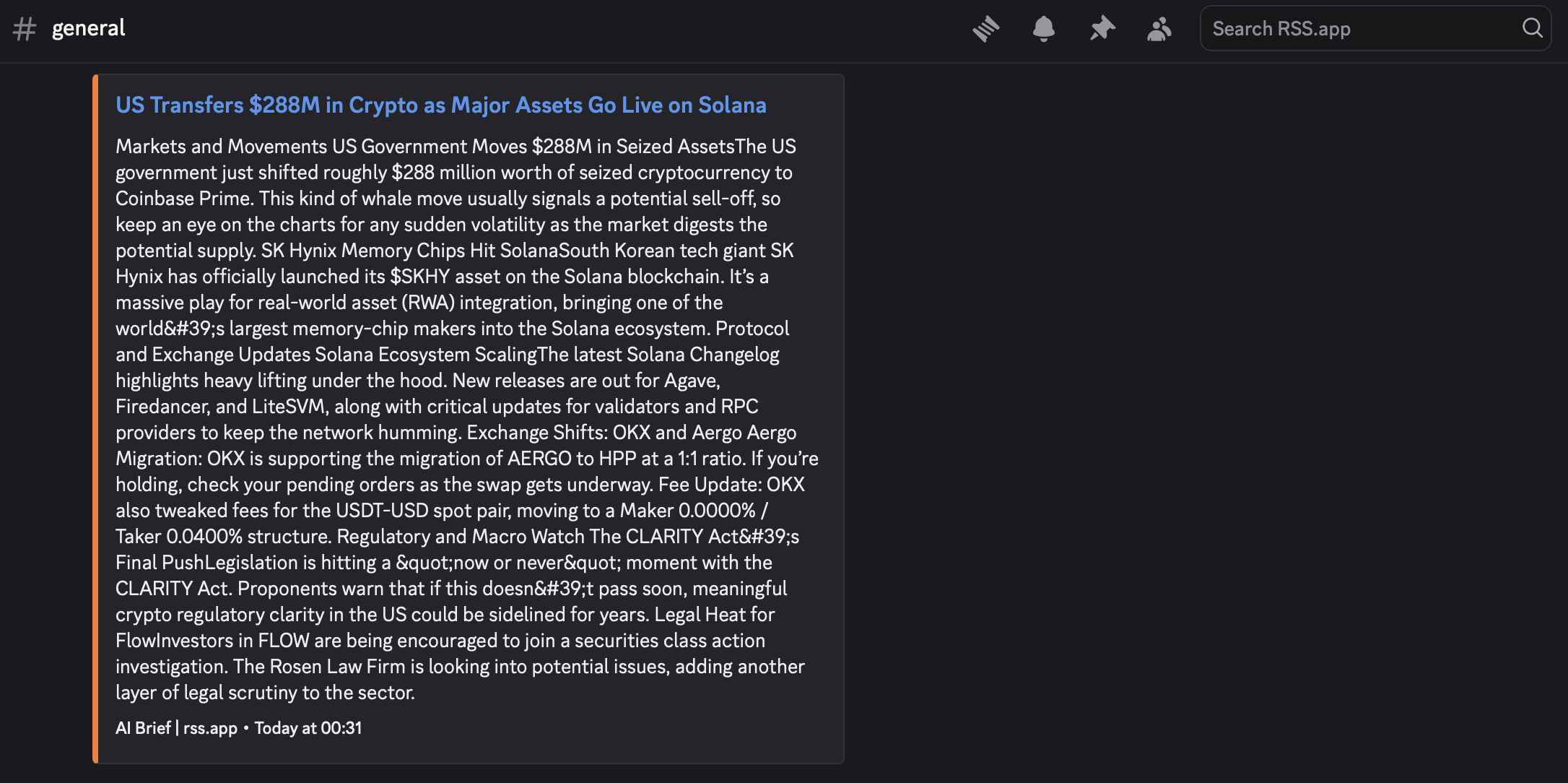
Full walkthrough: How to get daily news briefs in Discord with AI · Video tutorial
Daily news briefs in Telegram
Telegram is the right fit for personal tracking or small teams who already coordinate there. The brief can post to a channel, a group, or come straight from the bot to your DMs. Click the Telegram icon, log in and authorize RSS.app, choose your delivery type, add @news_alerts_rss_bot to your channel or group if needed, and select it from the dropdown.
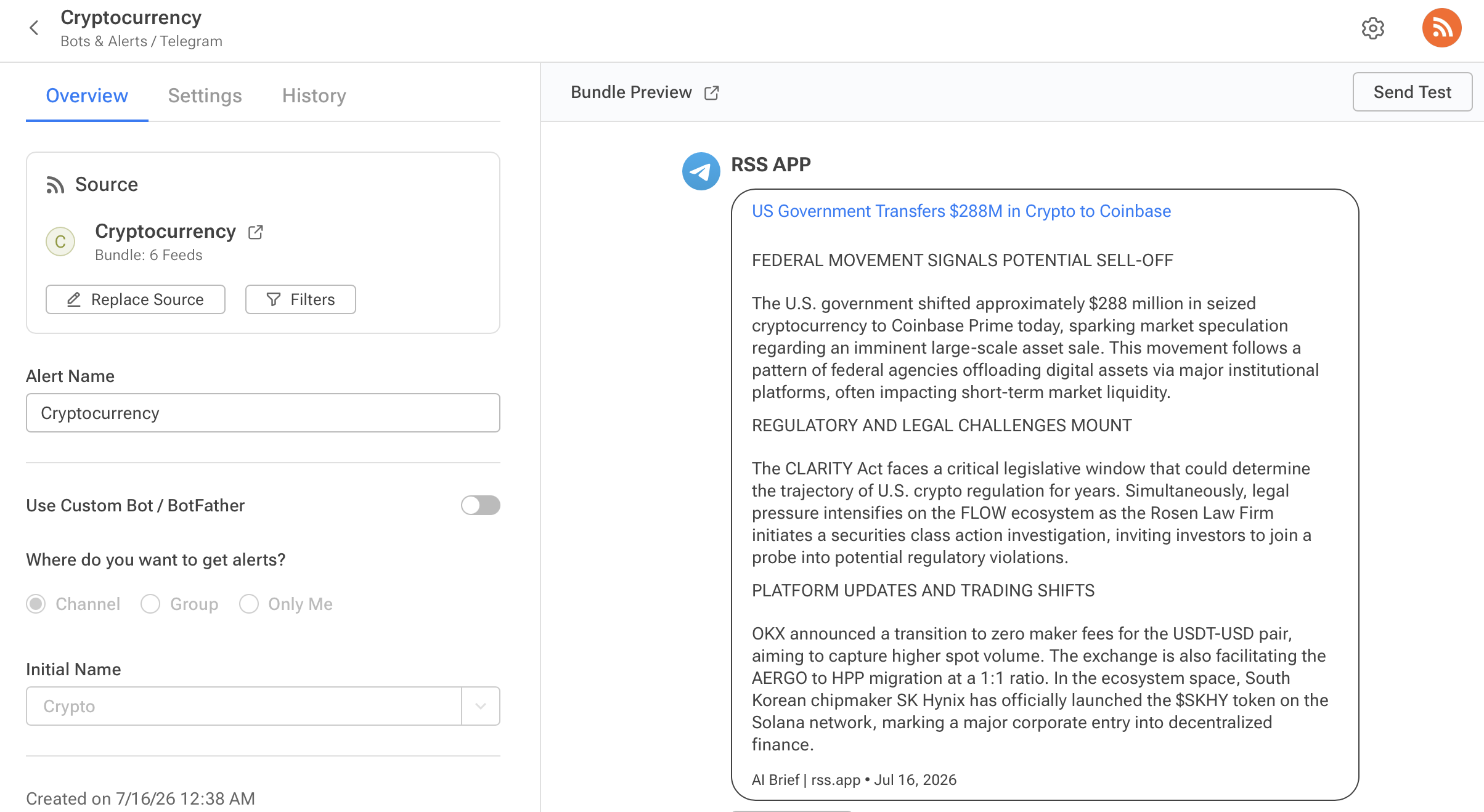
Full walkthrough: How to get daily news briefs in Telegram with AI · Video tutorial
Daily news briefs in Slack
Slack is the right fit for keeping a work team aligned: competitor moves, industry news, or brand mentions showing up in the channel the relevant team already lives in. Click the Slack icon, authorize, and select the channel (by dropdown or channel ID). Private channels need the News Alerts bot added manually via Channel Details → Integrations → Add an app.
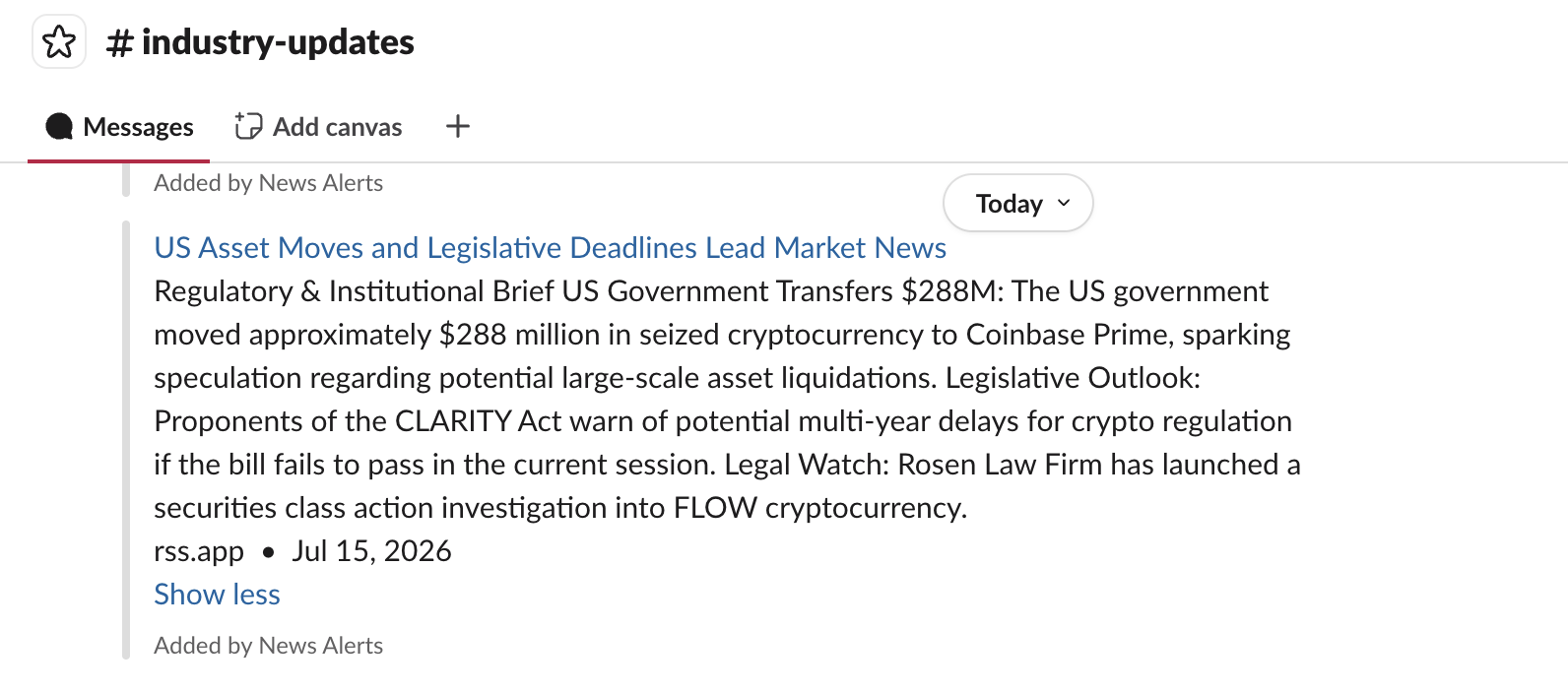
Full walkthrough: How to get daily news briefs in Slack with AI · Video tutorial
Daily news briefs by email
Email is the right fit when you want the brief to read like a briefing rather than a notification. No app to open, no channel to scroll. Click the email icon, set the subject line, and choose your schedule.
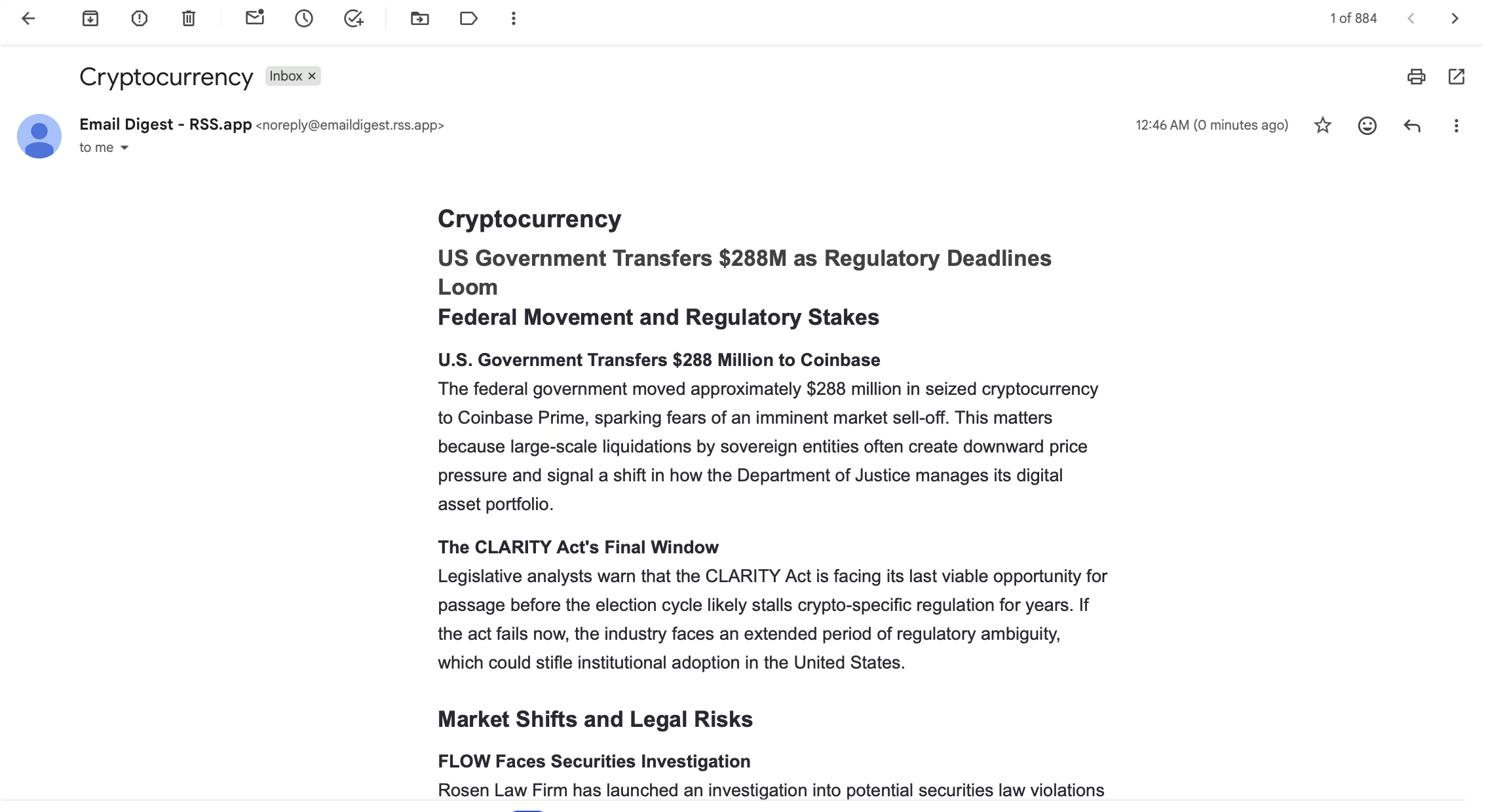
Full walkthrough: How to get daily news briefs in your email with AI
In every case, the same feed can push to more than one destination: Slack for the team, email for a personal archive of the same brief, for example.
What to put in your daily brief
An AI Brief is only as good as the sources feeding it and the instructions shaping it. Three decisions do most of the work:
Pick sources that cover the topic from different angles, not the same angle five times. If you're tracking a competitor, that might mean their blog, their changelog, their X/Twitter account, and a subreddit where their users complain.
Write a custom prompt that reflects what "important" means for this topic. The default personality works for general summarization, but a custom prompt lets you tell AI Brief what to prioritize, e.g., "Flag pricing changes and new feature launches first; ignore routine social media posts" for competitor tracking, or "Prioritize regulatory news over price commentary" for a crypto or industry brief.
Match the format to how you'll actually read it. A headlines format works if you're scanning on your phone between meetings. A longer digest format works better if the brief is the primary way you consume that topic and you want enough context to act on it without opening the source.
The number of articles pulled in matters too: too few and the brief misses real developments; too many and it starts padding with minor updates just to fill space. Start around the platform default and adjust after a week of seeing what a normal day of source activity actually looks like.
What "done" looks like
Once connected, the loop closes itself: sources are checked on schedule, the Bundle folds them into one stream, AI Brief turns that stream into a summary shaped by the prompt and format you chose, and the summary lands in Discord, Telegram, Slack, or the inbox without a single source page being opened manually. The only ongoing decision is whether the personality, format, and schedule still match how the brief gets read, and that's a few clicks to adjust, any time.
The topic being tracked doesn't get simpler. Checking in on it does.
Want to try RSS feeds?
Create your first feed in minutes. Free to start, no credit card required.
Share this article

Ready to get started?
Create your first RSS feed in minutes. No coding required.